
Business phone system installation that is finished before your first busy Monday
Installation is where good phone platforms go bad. Porting stalls, the network was never assessed, greetings go live with the wrong hours, and staff find out on a Monday morning. We run installation as a project with a survey, a network check, a porting timeline, tested configuration and training — so cutover day is uneventful, which is exactly what you want.
- On-site installation across the Bay Area, remote across California
- Site survey and network readiness checked before anything is ordered
- Training and cutover plan agreed in writing before the switch
On-site across the Bay Area · Remote anywhere in California · No obligation, no pressure
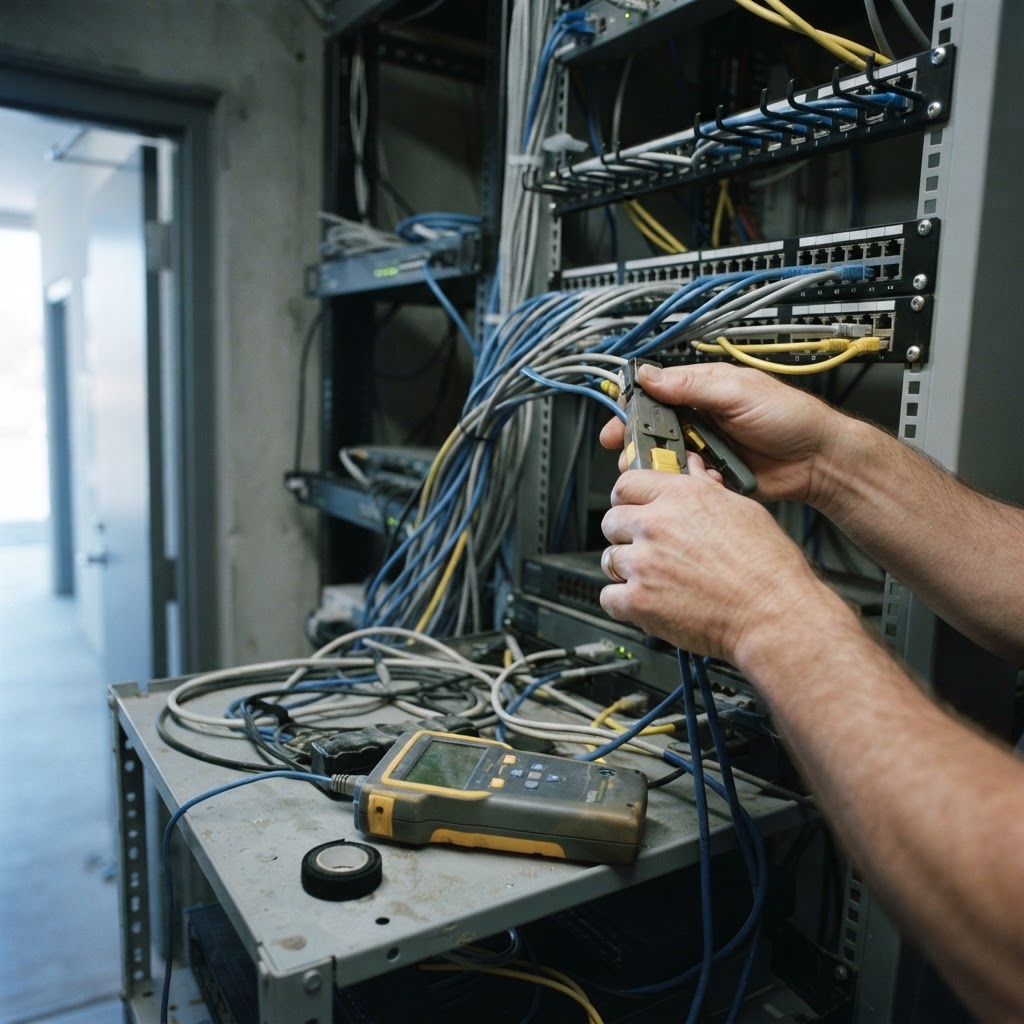
What goes wrong with phone installations
Almost every painful install traces back to a step that was skipped to save time. These are the four we see most.
Nobody checked the network
Cheap switches without power over Ethernet, no VLAN for voice, and Wi-Fi assumed to carry handsets. The result is audio problems blamed on the platform.
A site survey documents switch capacity, PoE budget, cabling, firewall behavior and wireless coverage, and we fix what is needed before phones are scheduled to arrive.
Porting is left to the last minute
Number port requests need correct billing details and authorized signatures. Missing paperwork pushes the cutover back after staff have already been told to expect it.
Porting starts on day one: we collect the latest carrier bill, verify exactly which numbers move, submit the request, and track it until the confirmed port date.
Configuration is guesswork
Greetings record after-hours messages with office hours, ring groups include people who are not on the team, and 911 registration is wrong per site.
We build the dial plan, greetings, routing, 911 location records and voicemail from your answers, review them with you, and test every path before turning it on.
Nobody was trained
Staff know how the old system worked and discover the differences in front of a customer.
Short role-based sessions — reception, sales, support, managers — covering transfer, hold, park, voicemail and the mobile app, plus a one-page reference they can keep.
What you gain with Installation
Surveyed before ordering
Network, cabling and power verified so the hardware you buy is the hardware you need.
Porting tracked
Numbers confirmed and monitored to a port date, not assumed.
Agreed cutover date
A written plan with the port window, rollback path and who is available on the day.
Staff trained by role
Sessions built around what reception, sales and support actually do all day.
Tested before go-live
Inbound, outbound, transfer, voicemail, after-hours and 911 verified on real calls.
Features we configure first
Platforms can do a great deal. These are the capabilities that change day-to-day operations for this kind of setup.
Site survey
Documents desks, rooms, cabling, switch capacity and power so the design matches the building.
Network assessment
Confirms bandwidth, firewall behavior, VLAN and QoS requirements before voice is layered on.
Number porting
Main lines, direct dials, toll-free and fax numbers moved with the carrier paperwork handled.
Configuration
Dial plan, auto attendant, ring groups, queues, greetings, voicemail and 911 location records built to your workflow.
Hardware provisioning
Phones configured and labeled before installation day so desks come up in order.
Training
Role-based walkthroughs plus documentation, so the system gets used properly from week one.
Cutover management
Sequenced switch-over, parallel running where useful, and a rollback plan if something misbehaves.
Post-cutover support
An attentive first two weeks while habits form and small adjustments surface.

When to bring in an installer
Some deployments are simple enough to self-install. You should use a professional installer when:
Numbers must not be missed
If a failed port or a wrong greeting costs real revenue, the project needs an owner and a plan.
The office has never carried voice
Switching, PoE, VLANs and firewall rules need configuring before VoIP will behave.
You are replacing a system on a deadline
A lease ending, an office move or an expiring contract leaves no room for a stalled port.
There is no internal IT
Nobody on staff will own network configuration, provisioning and training — so we do.
What installation costs depend on
Installation is usually one-time work, and it varies more than the recurring service. Expect these lines on a quote:
Number of users and positions
Each desk, room and shared position is a device to provision, cable and test.
Sites and travel
On-site work is quoted per location; remote installations need less labor but still need planning.
Cabling and switching
New runs, patch panels, PoE switches, mounting and labeling where infrastructure is missing.
Porting complexity
A single main number is straightforward; dozens of DIDs, toll-free and fax lines take coordination with the carrier.
Configuration depth
A simple ring group versus queues, time-of-day routing, recording policies and CRM integration.
Training scope
One manager session versus role-based sessions for every department plus written documentation.
We quote installation as a fixed scope with the deliverables listed, so you can see what is included — and we do not start ordering hardware until the survey is done.
Common questions, answered
Related VoIP solutions
Pages that usually help Business Phone System Installation buyers narrow down the right approach.
Get a Free VoIP Consultation
Two short steps: your contact details, then (optionally) what you need. We come back within one business day with carrier options, per-user pricing and your savings against the current bill.
Starting this form tells our team you're interested, so we can prepare your quote. We use your details only to price and follow up on your VoIP inquiry.